.png)
How to Validate a PAdES Signed Document
📄 What is a PAdES Document?
PAdES (PDF Advanced Electronic Signatures) is a specialized format ensuring that electronically signed PDFs are tamper-evident, legally binding, and fully compliant with European eIDAS regulations.
When you download an executed agreement from Verified, it contains embedded cryptographic metadata. Here are three reliable ways to independently verify and validate your PAdES document's signature integrity.
Method 1: Using Adobe Acrobat Reader (Desktop)
Adobe Reader has native support for verifying cryptographic signatures directly from your desktop workspace.
Open your PAdES PDF file inside Adobe Acrobat Reader.
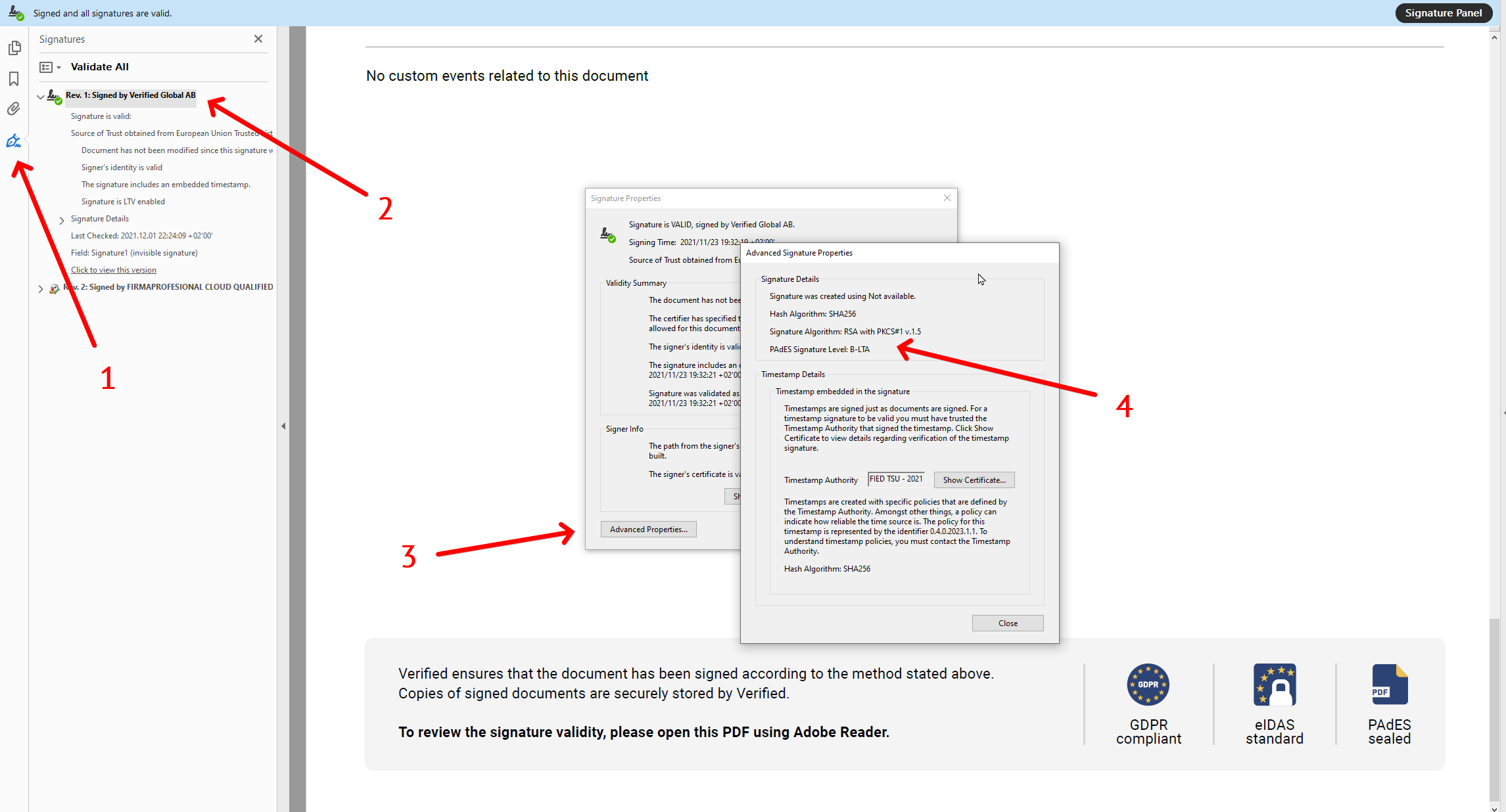
Locate the left-side utility panel and click the Signatures icon (represented by a fountain pen tip).
Expand the signature details, right-click the signature block (often named "Signed by Verified" or the signer's identity), and choose Show Signature Properties....
In the properties window, click the Advanced Properties... button.
The specific PAdES signature conformance level (such as PAdES-B-B, PAdES-B-LT, or PAdES-B-LTA) will be displayed on screen.
Method 2: Using the European Commission Validator (Recommended)
The European Commission maintains an official Digital Signature Service (DSS) platform. This web interface is widely considered the gold standard for verifying compliance with EU digital trust laws.
Navigate directly to the official EU DSS Validation Portal.
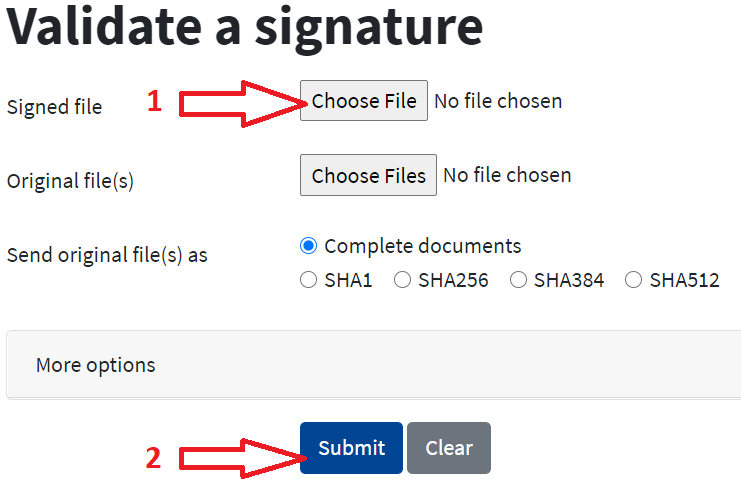
Click the Choose File button and upload your PAdES file.
⚠️ Note: To prevent upload time-outs or system processing errors, make sure your document size is 8 MB or smaller.
Click the Submit button and wait a few moments for the cryptographic audit to process.
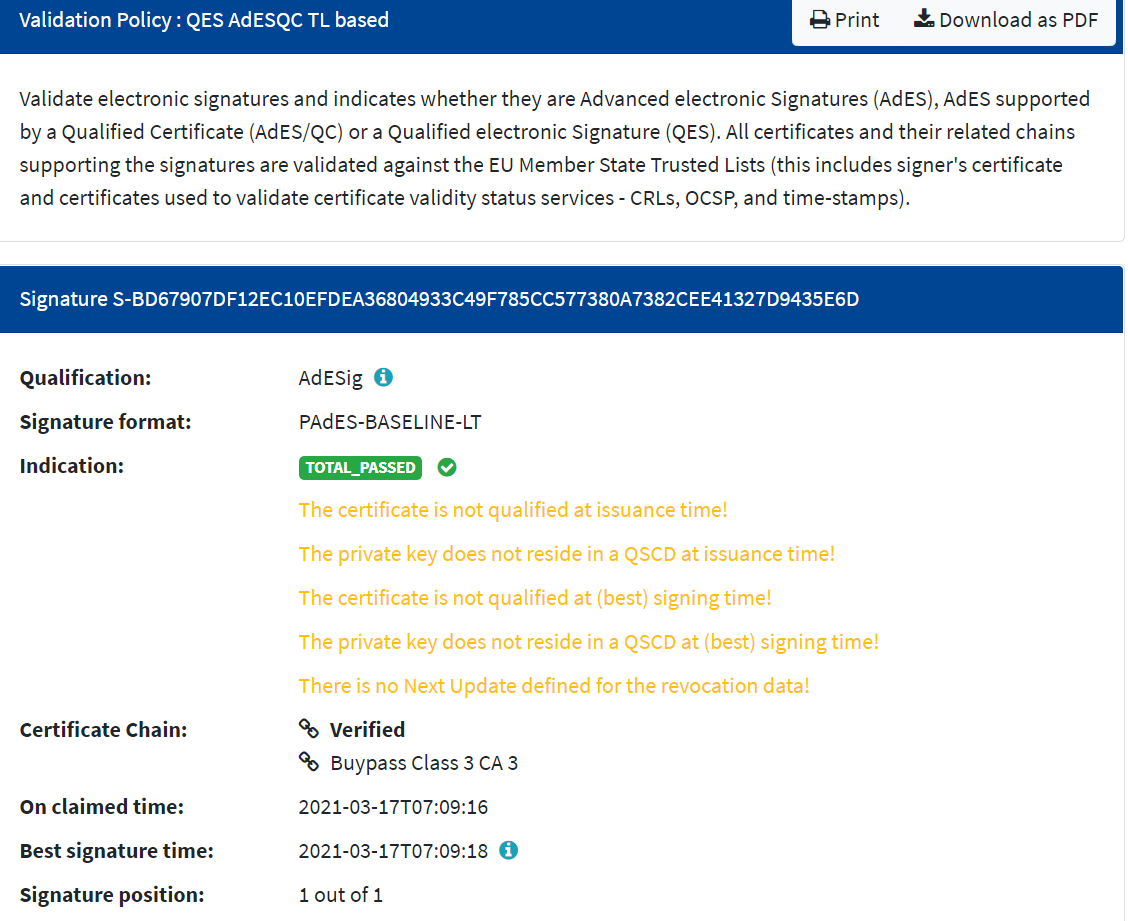
Once completed, a detailed tracking sheet will load showing the certificate chain authority, qualified signature status (QES), and confirmation that the document hasn't been modified since it was signed.
Method 3: Using the ETSI Conformance Checker (Advanced)
The European Telecommunications Standards Institute (ETSI) is the technical organization that originally defined the PAdES engineering standard. Their online validation suite is highly precise but typically geared toward developers and enterprise compliance teams.
Navigate to the official portal via the ETSI Validation Gateway.
Request Portal Access: This validation tier is restricted. You must click the contact option on their landing page to submit a request for evaluation credentials.
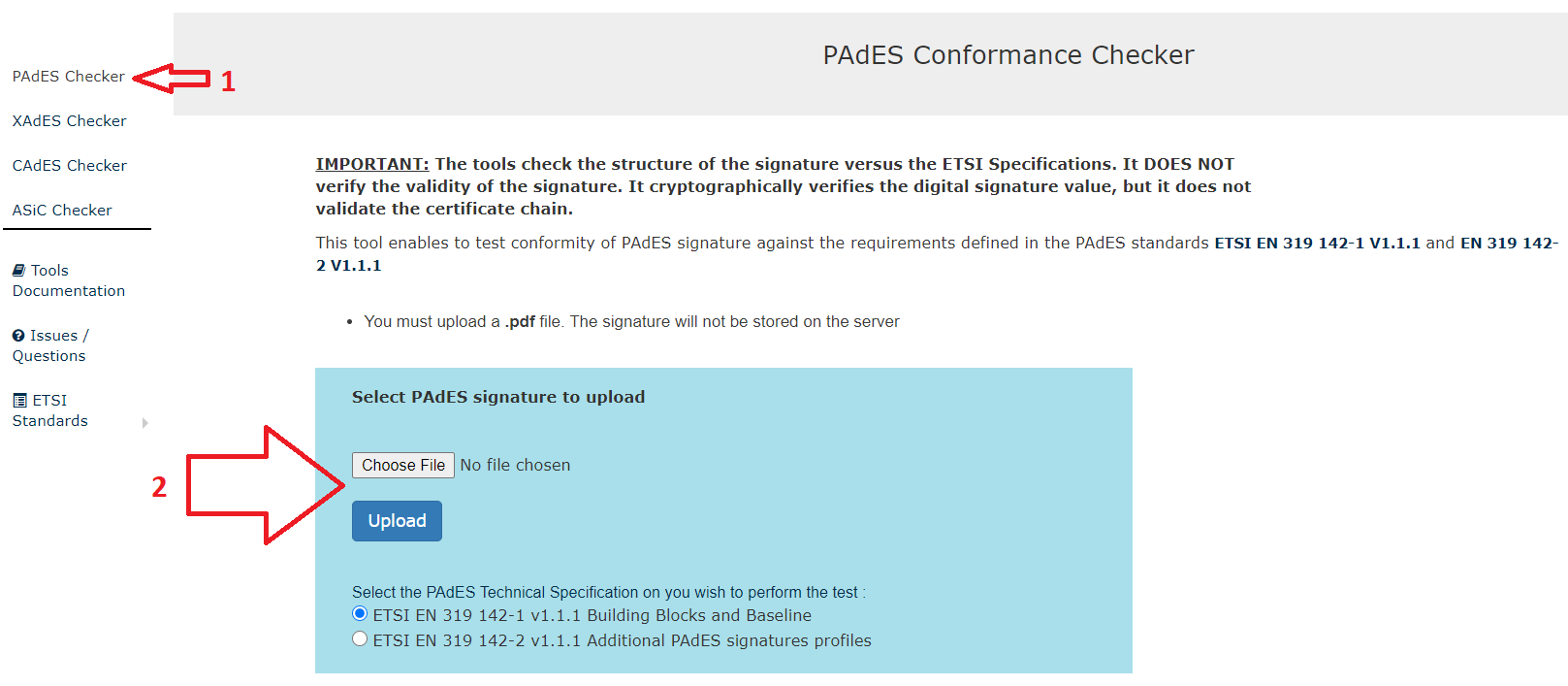
Once logged in with your assigned account, select the PAdES Conformance Checker from the left-side navigation column.
Click Choose File and upload your document.
⚠️ Note: The ETSI checker accommodates larger files, supporting documents up to 17 MB.
Once the evaluation pipeline finishes, look at the bottom of the interface for a completion confirmation text string. Click the underlined link to view the complete HTML Conformance Report detailing the technical compliance matrix.