.png)
Can I update the email address for a recipient in Verified?
Updated
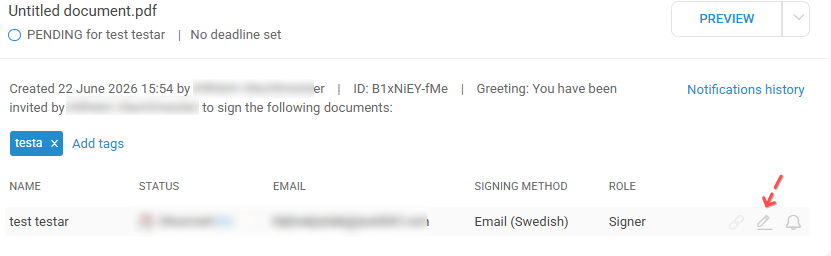
To change a recipient's email address you click on the pen symbol on the row of the person in the Verified platform:
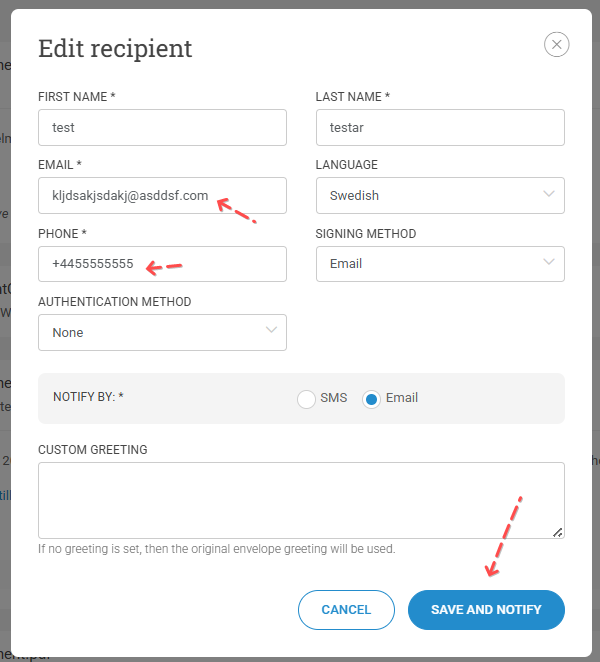
If you use Vitec, you also need to update the phone number in Verified to the +46 format (for Sweden) and remove any hyphens or spaces. Once this is done, the platform will accept the change to the email address, and the "Save and Notify" button will become active.