.png)
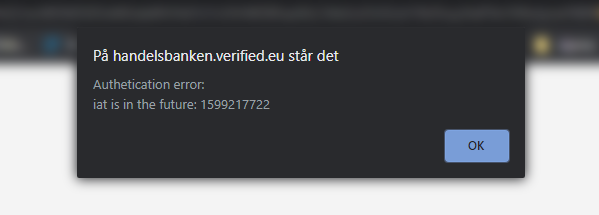
Login Error: "iat is in the future"
⏱️ Quick Answer
If you see the error message "iat is in the future", it means your computer or mobile device's internal clock is out of sync with global time.
"iat" stands for Issued At (a security timestamp). Verified's servers will block logins if your device's clock is even a few seconds ahead of the actual time, as a standard security precaution.
How to Fix It (Enable Automatic Time Sync)
The most reliable way to fix this is to let your operating system sync its clock automatically with network time servers. Manual adjustments can still be off by a few crucial seconds.
For Windows 10 & 11
Right-click the digital clock in the bottom-right corner of your taskbar and select Adjust date and time.
Toggle the switch ON for Set time automatically.
Toggle the switch ON for Set time zone automatically.
Click the Sync now button under the "Synchronize your clock" section to force an immediate update.
For macOS
Open the Apple menu in the top-left corner and choose System Settings (or System Preferences).
Click General in the sidebar, then select Date & Time.
Turn on the setting Set time and date automatically.
Ensure your network time server is active (it defaults to time.apple.com).
For iOS (iPhone/iPad)
Open the Settings app.
Tap General > Date & Time.
Toggle the switch ON for Set Automatically.
For Android Devices
Open your device's Settings.
Tap System > Date & time (this may vary slightly depending on your phone's manufacturer).
Enable Set time automatically and Use location to set time zone.
Next Steps
Once you have updated your device's time settings, refresh your browser tab and try logging into the Verified platform again. The error should now be resolved.