.png)
What are Tags and how are they used?
Custom Tags allow you to categorize, organize, and filter your projects in the AML Portal.
What are tags?
Custom Tags are labels that you can attach to individual projects. They help you group projects based on your own criteria—such as internal teams, risk levels, or review types—so you can find and manage them quickly.
Configure tags
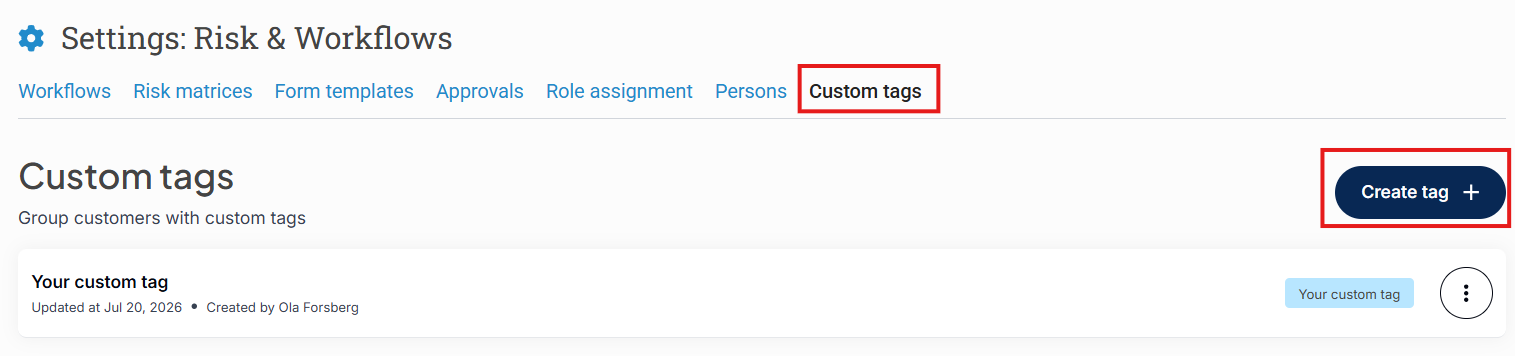
To set up standard tags for your team:
Go to Settings in the AML Portal (you may need specific user rights).
Select Custom Tags.
Add the tags you want to use across your organization.
Assign tags to a project
Once tags are configured:
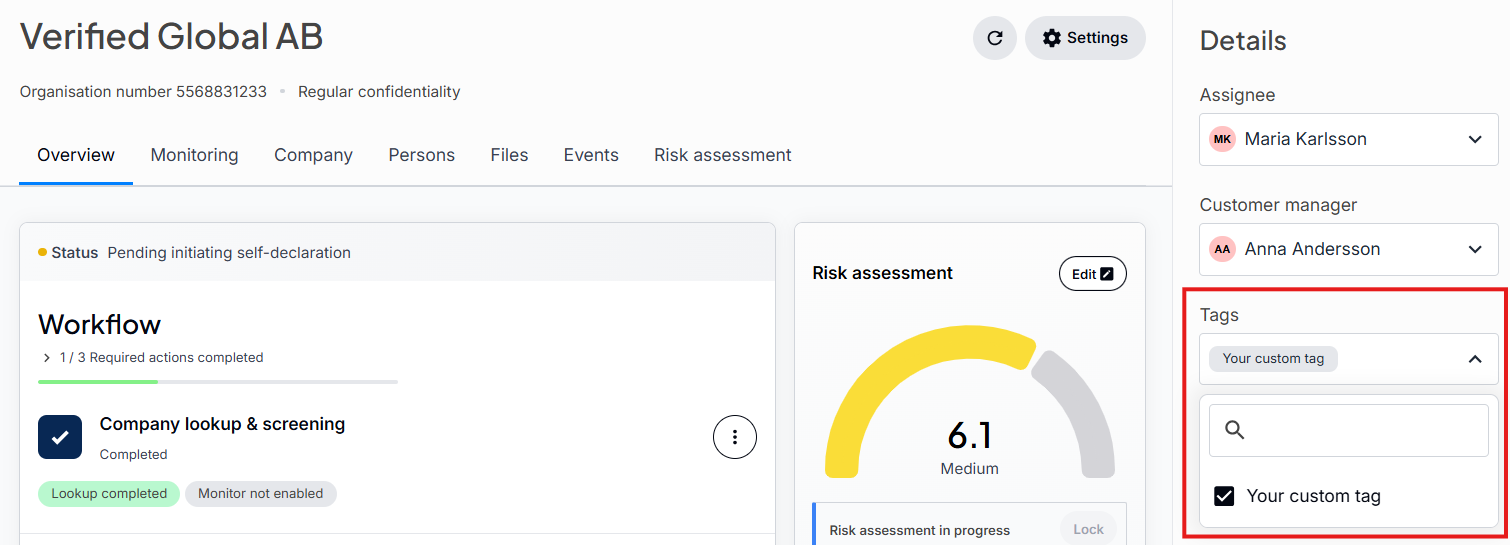
Open the Projects page.
Select a specific project.
Assign one or more custom tags to that project.
3. Filter projects by tag
To quickly locate projects:
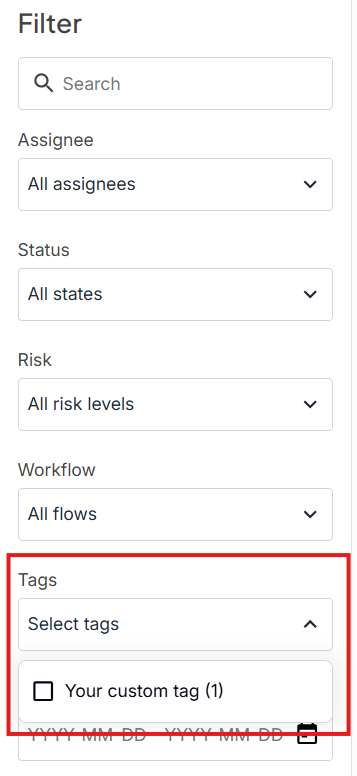
Go to the Customer Projects list.
Use the filter option to select the tag(s) you want to view.
The list will display only the projects containing those tags.
Assigning tags via API
If you integrate with the AML Portal using the API, you can assign tags directly to projects.
No setup required: Unlike the portal UI, the API allows you to assign tags to a project even if they have not been previously set up in the portal settings.
Once assigned via the API, these tags will show up on the project page and can be used to filter the Customer Projects list in the portal.