.png)
How to Get Notified When a Recipient Opens an Envelope
By default, senders receive updates when a document is signed or rejected. If you want real-time visibility into recipient engagement earlier in the process, you can enable email notifications that alert you the very first time a recipient opens your envelope link.
How to Enable Open Notifications
Because notifications are managed at the individual user level, each team member can customize their own alert preferences:
Log into your account.
Click your user profile avatar and navigate to My Settings in the left navigation sidebar.
Select the Settings sub-tab, then go to Email notifications.
Locate the setting labeled:
"Do not notify me when a recipient opened an envelope"

Uncheck (untick) this box to activate the alerts.
Click Save to confirm your preferences.
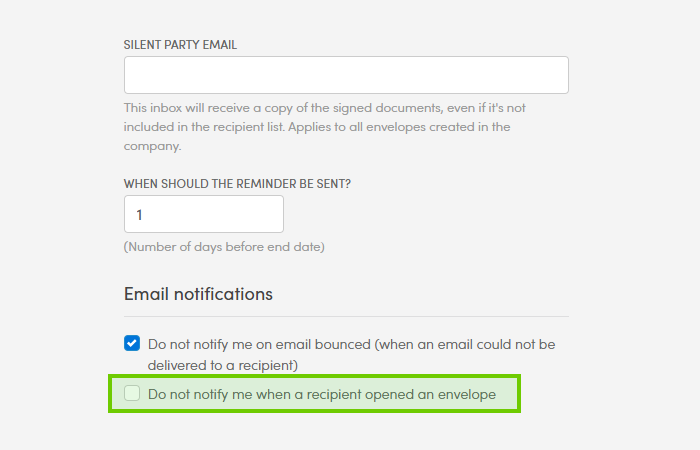
⚠️ Note the wording: This setting uses negative phrasing ("Do not notify me..."). Leaving the box checked disables alerts; leaving it unchecked enables them.
What Happens Next?
Once enabled, Verified monitors when each recipient clicks their unique invitation link:
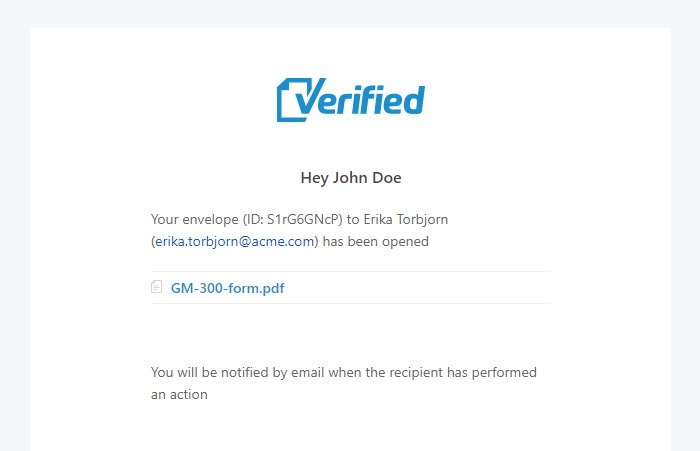
Instant Email Alert: The moment a recipient accesses the document preview for the first time, Verified automatically dispatches an alert to your inbox.